




Dictation for Windows and Mac

Speak.It’s typed,on your machine.

Hold a hotkey, speak, and let go. Dictiq types what you said into the app you are already in, and it turns your speech into text on your own machine.

English dictation is free, with no word limit.

Send the notes to the team before lunch.

Te llamo esta tarde, después de la reunión.

Je vous envoie le document ce soir.

سأرسل لك الملف هذا المساء.

میں آج شام آپ کو فائل بھیج دوں گا۔

मैं आज शाम आपको फ़ाइल भेज दूँगा।

Press and hold the key, then let go.A demonstration. This page does not use your microphone.

English, Spanish, French, Arabic, Urdu and Hindi.

At the cursor

Your words land in the app you are already in

What you said is typed straight into the app you were already using. The picture is Notepad on Windows 11, taking dictation from Dictiq.

  1. Hold the hotkey

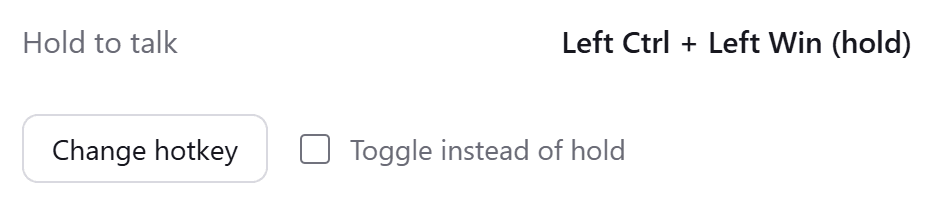
    Hold the hotkey to talk, or press once to start and once to stop if you would rather toggle.

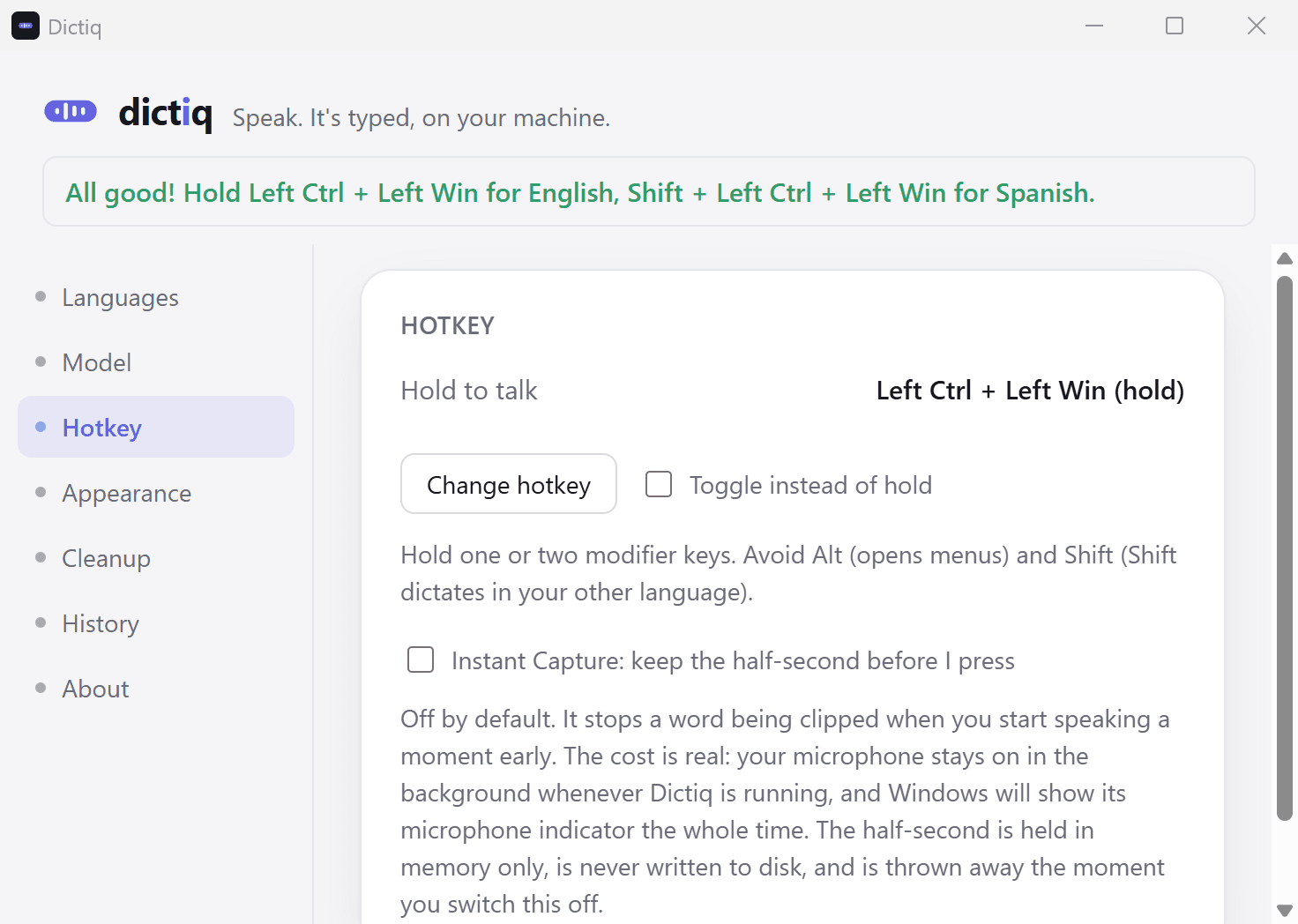
    The Hotkey section of Dictiq's settings: Hold to talk is set to Left Ctrl plus Left Win, with a Change hotkey button and a Toggle instead of hold checkbox.
  2. Speak

    A small capsule above the taskbar shows the sound level and the language while you speak. The capsule is on Windows only.

    Dictiq's capsule as the app draws it: a language tag, four level bars and the second language beside a Shift arrow.
  3. Let go

    Dictiq types the text into whatever you are writing in, so there is no window to switch to and nothing to copy and paste.

    The first half of a line dictated into Notepad while the network was off.
    The second half of the same line. It ends: the words are still appearing.

Six languages

Dictate in English, Spanish, French, Arabic, Urdu and Hindi

English is free. One purchase adds the other five.

  • ENFree

    English

    English

    Send the notes to the team before lunch.

  • ESWith the unlock

    Español

    Spanish

    Te llamo esta tarde, después de la reunión.

  • FRWith the unlock

    Français

    French

    Je vous envoie le document ce soir.

  • ARWith the unlock

    العربية

    Arabic

    سأرسل لك الملف هذا المساء.

  • URWith the unlock

    اردو

    Urdu

    میں آج شام آپ کو فائل بھیج دوں گا۔

  • HIWith the unlock

    हिन्दी

    Hindi

    मैं आज शाम आपको फ़ाइल भेज दूँगा।

One everyday sentence in each language, set in its own script.

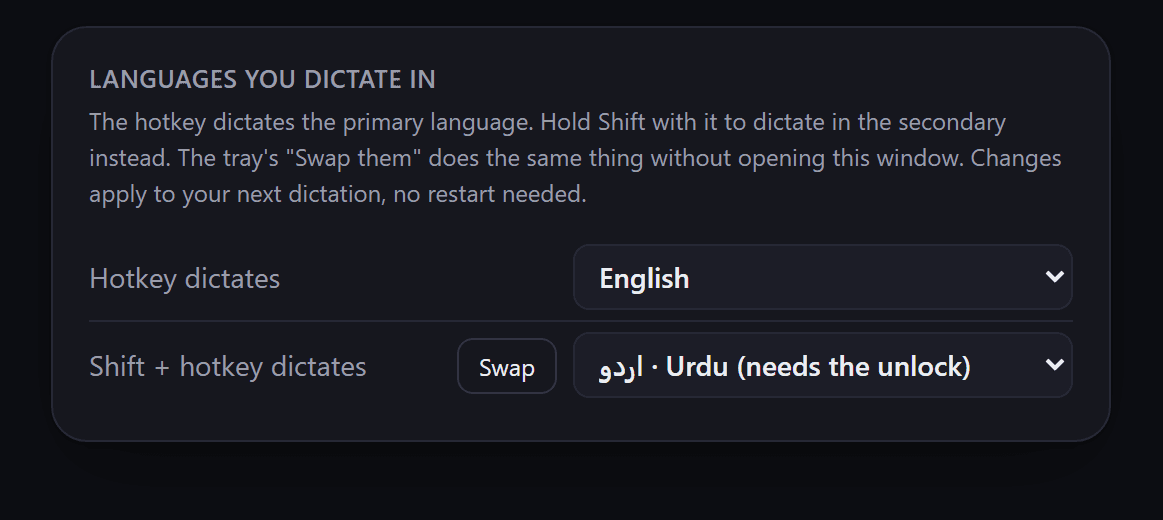
The Languages section of Dictiq's settings in its dark theme: the hotkey dictates English and Shift plus the hotkey dictates Urdu.
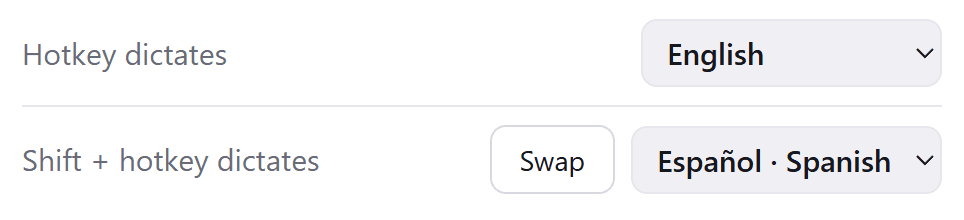
Two settings rows: Hotkey dictates English, and Shift plus hotkey dictates Spanish, with a Swap button between them.
The app's ready line: All good! Hold Left Ctrl plus Left Win for English, Shift plus Left Ctrl plus Left Win for Spanish.

Two languages, one key apart

A second language sits on Shift plus the hotkey

You switch between your two languages without opening settings. A Swap button changes which one the plain hotkey dictates.

میں کل meeting میں آؤں گا۔

Whatever Dictiq transcribes is inserted correctly into the app you are writing in: right-to-left text stays right to left, and a sentence mixing Urdu and English keeps its direction on both halves.

On your own machine

Dictiq turns your speech into text on your own machine. It has no backend server, no user database, no account and no login, and it collects no telemetry.

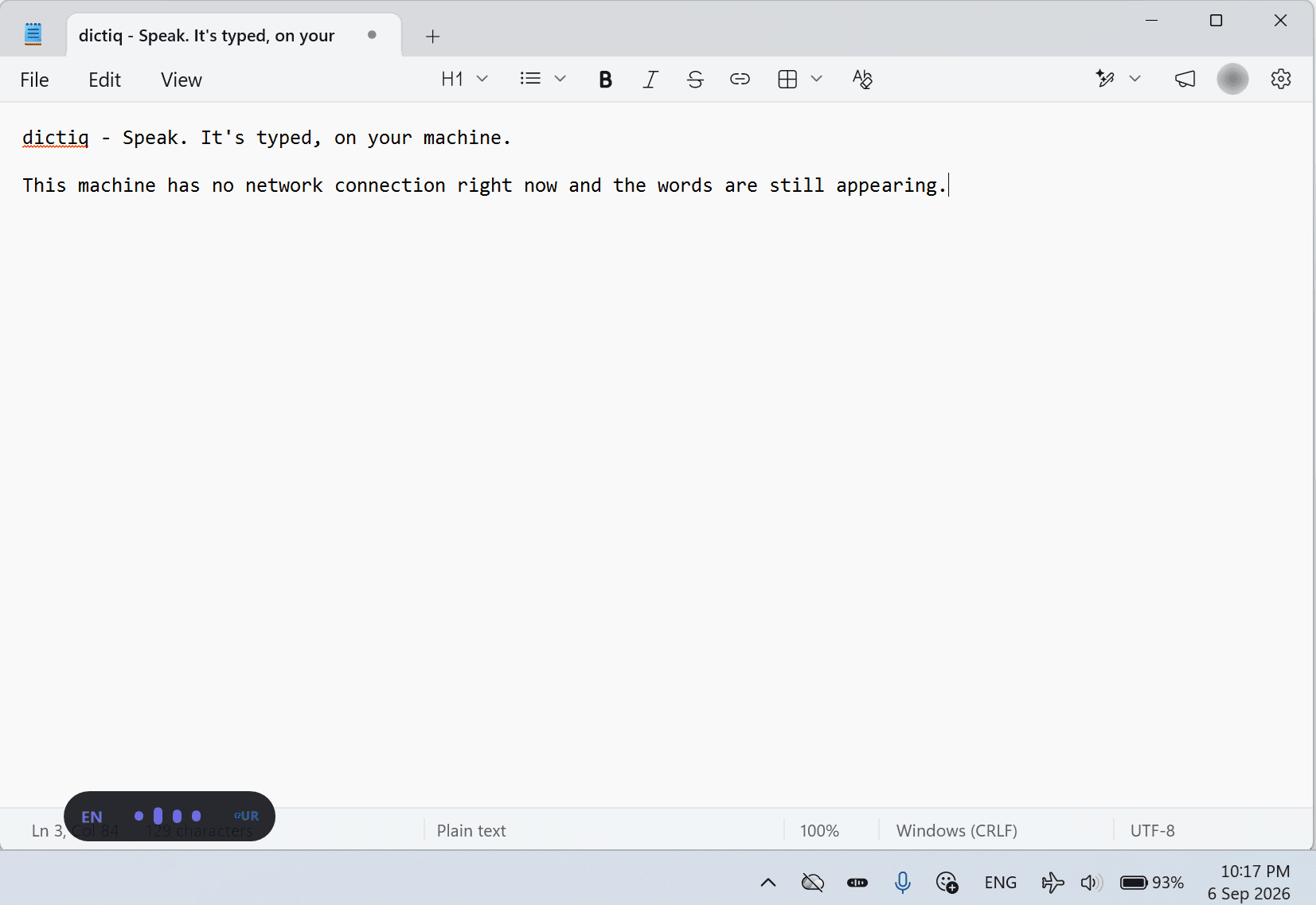
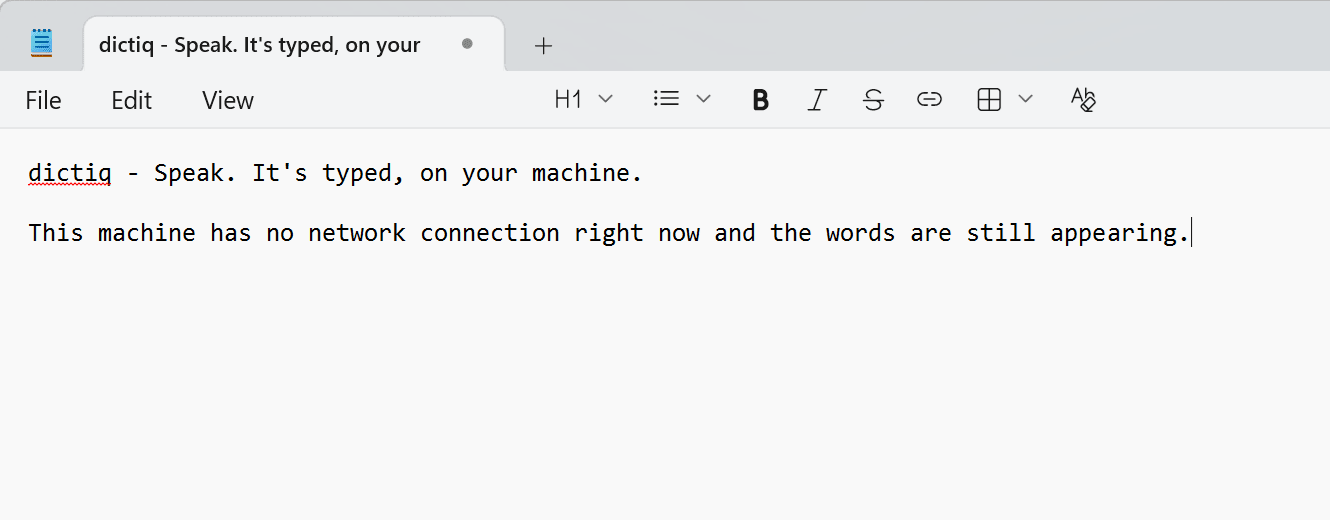
The top of a Notepad window holding two lines that were dictated while the network was off.
The first half of a line dictated into Notepad while the network was off.
The second half of the same line. It ends: the words are still appearing.
The Windows taskbar tray from the same capture, with the network icon struck through, Dictiq's icon beside it and the clock at 10:17 PM on 6 Sep 2026.
Notepad on Windows 11, captured with the network off. The sentence on screen was dictated that way.

Unless you choose to send it to an endpoint of your own, nothing you dictate leaves your machine.

What uses the network

  • Dictiq downloads the language models you choose.
  • On Windows, it validates your Microsoft Store licence.
  • On the Mac, it checks a licence key once, when you enter it, with the store you bought it from.
  • It reaches an endpoint of your own if you set one up. That is off by default.
  • On Windows, Microsoft Edge WebView2, the component that draws the app's window, may also contact Microsoft.

Dictiq works offline once the models you chose are downloaded.

Read the privacy policy

In daily use

The rest of what Dictiq does

Cleanup

Built-in rules fix formatting without changing your words

In English dictation, say “comma”, “question mark” or “new line” and the punctuation or break is typed. Say “nine fifteen” and it types 9:15. Both are switches in Settings, under Cleanup.
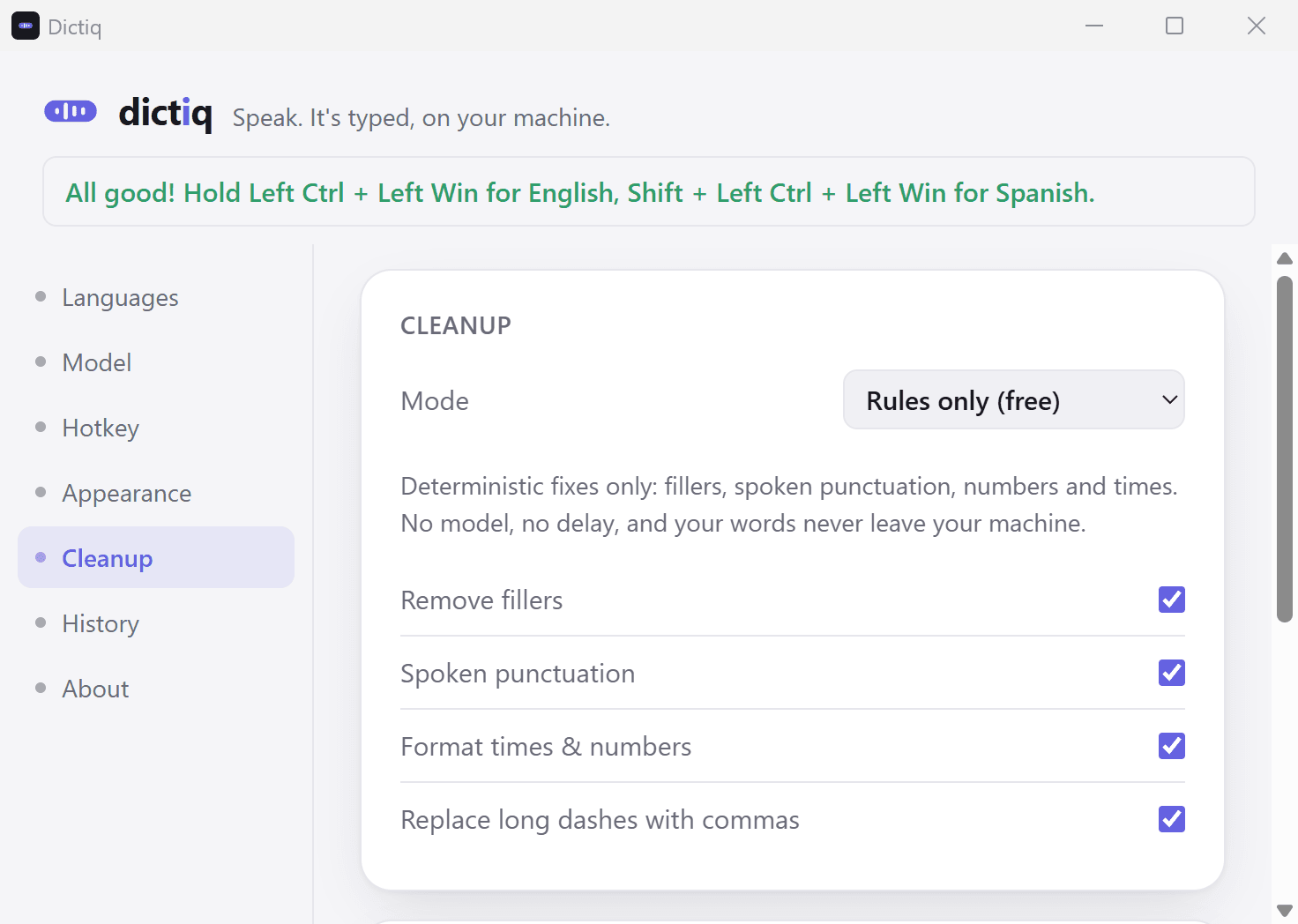
Dictiq's settings window on its Cleanup section, with the mode set to Rules only (free).
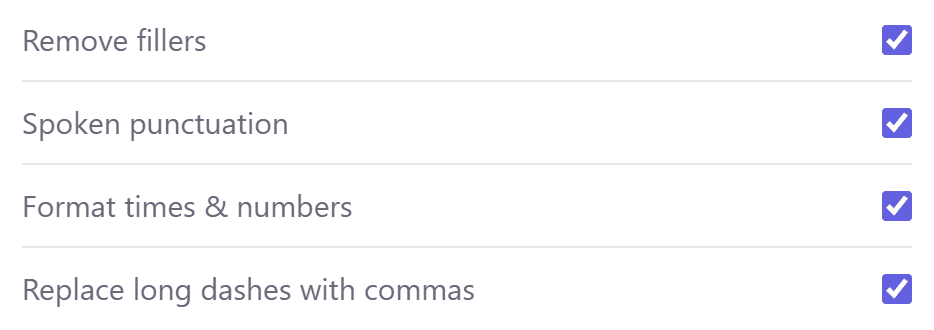
Four cleanup switches, all on: Remove fillers, Spoken punctuation, Format times and numbers, Replace long dashes with commas.

Your words and your history

A custom word list teaches it the names it would otherwise get wrong

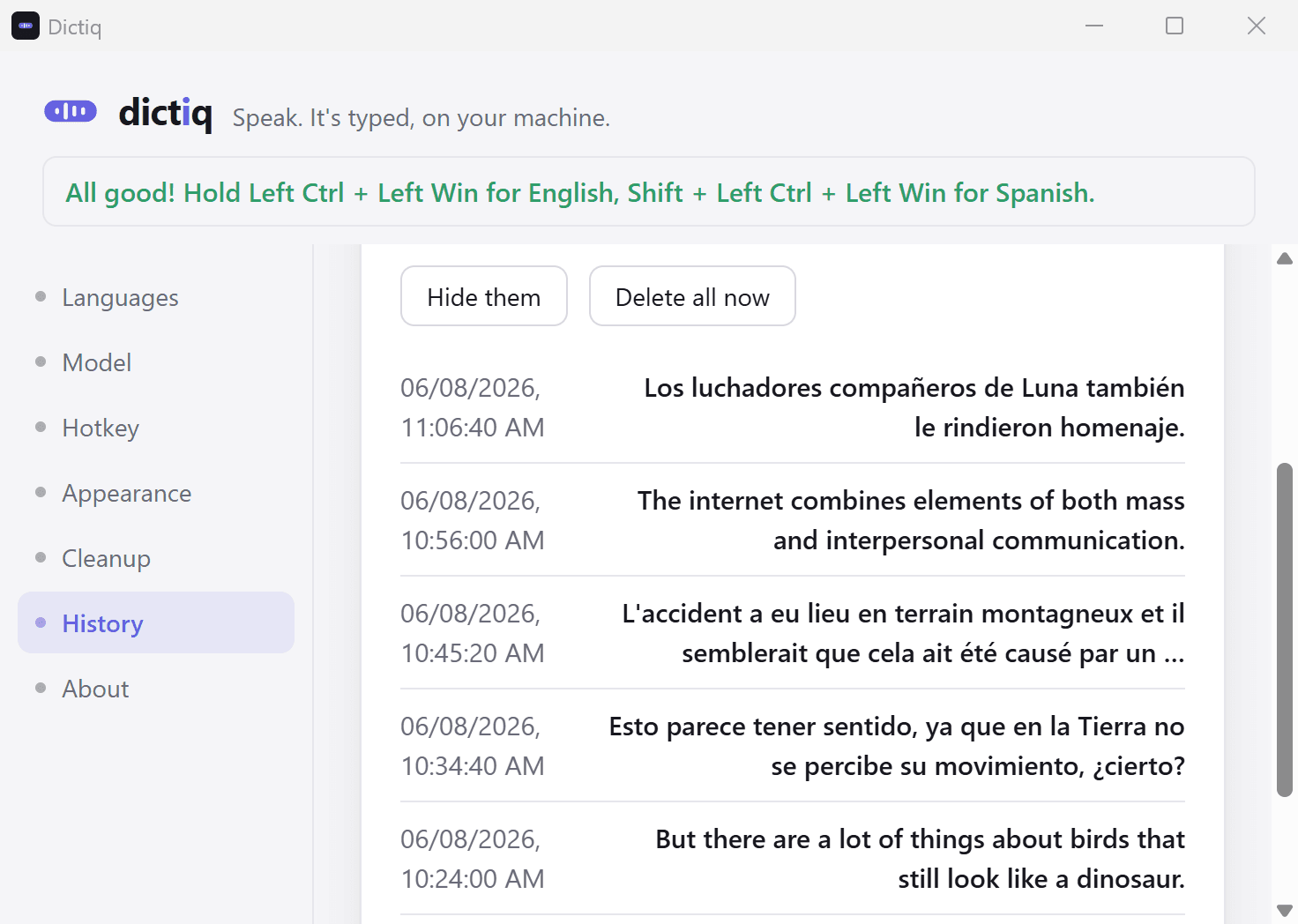
Recent dictations are kept on your machine, and you can delete them all at once.

Dictiq's settings window on its History section, with Hide them and Delete all now buttons above a list of recent dictations.
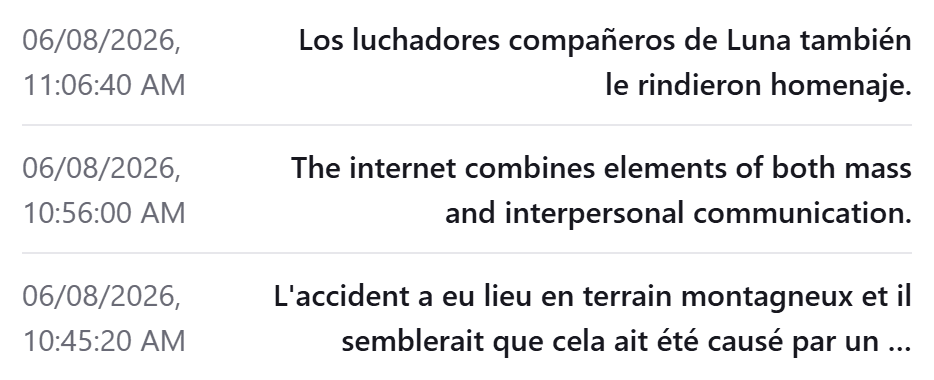
Three recent dictations in the history list, in Spanish, English and French, each with its date and time.

Measured labels

Every speech model shows a measured accuracy label before you choose it

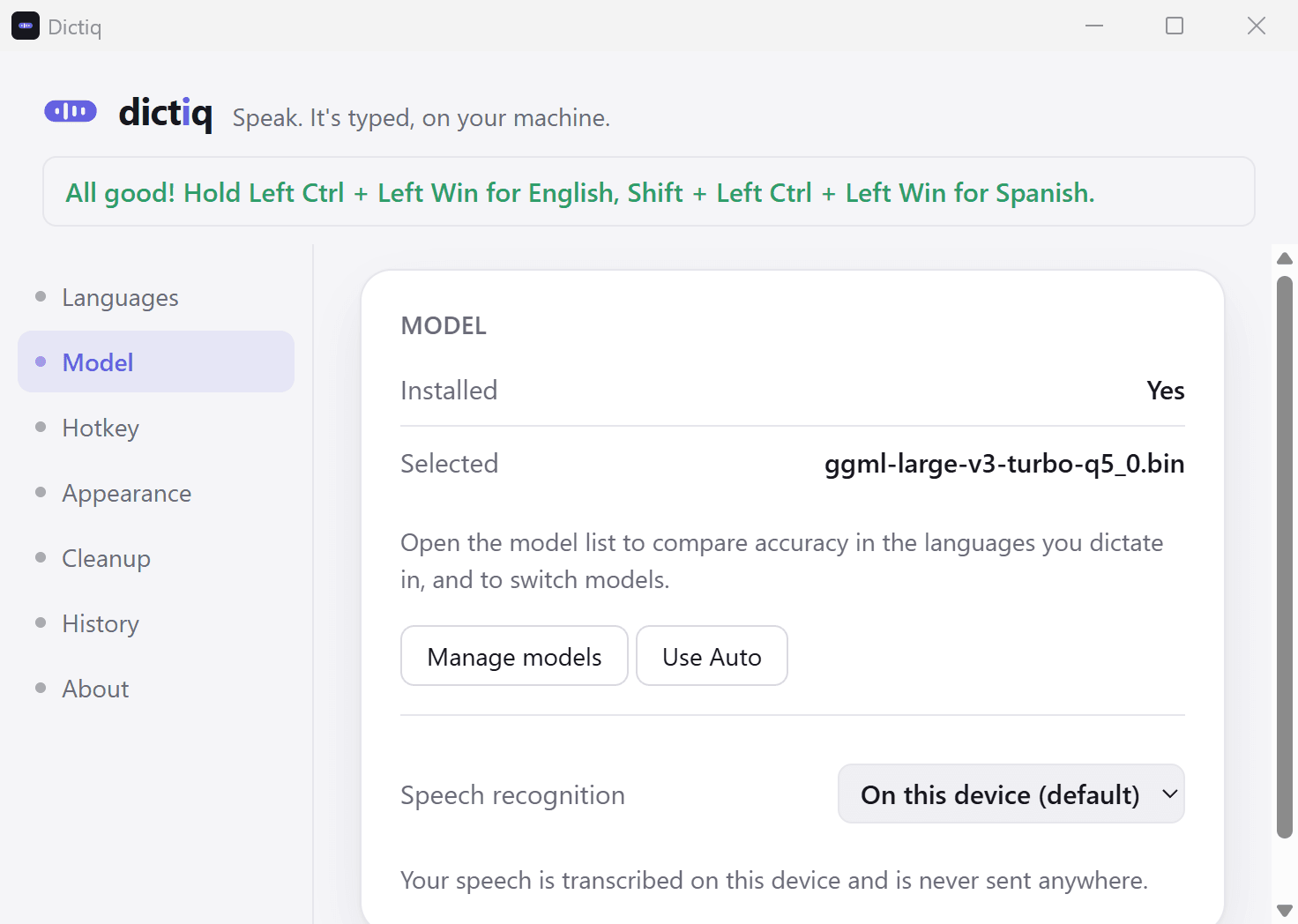
Each model carries a label for each language. Some languages are harder than others, and the app says so at the point where it matters.

Dictiq's settings window on its Model section: a model is installed and selected, with Manage models and Use Auto buttons.
The Speech recognition setting, set to On this device (default).

Instant Capture

Instant Capture keeps the half second before you press

An early word is not clipped when you start speaking a moment before the key goes down. It is a switch, and it is off by default.

Dictiq's settings window on its Hotkey section.
The Instant Capture checkbox: keep the half-second before I press.

Pricing

English is free. One payment adds the rest.

English

Free

English dictation is free and stays free, with no word limit.

  • Dictation into the app you are already in
  • Built-in cleanup rules
  • A custom word list
  • History kept on your machine
  • Hold to talk or toggle, and Instant Capture

The unlock

USD 10one payment, no subscription

One purchase adds Spanish, French, Arabic, Hindi and Urdu.

  • Five more languages to dictate in
  • Cleanup, which repairs how you said something without changing what you said
  • The option to send your speech, or the Cleanup step, to an endpoint of your own, with your own key

On Windows, the unlock is a Microsoft Store add-on. A one-time seven-day trial turns everything on, so you can judge the paid languages on your own hardware before you decide.

On the Mac, the unlock is a licence key you enter in the app. You buy it on Gumroad.

Buy the Mac unlock on Gumroad

Where Dictiq runs

  • Windows

    Windows 10 and 11, 64-bit

    Available on Microsoft Store

  • Mac

    Apple silicon, macOS 13 or later

    Available as a free download

  • iPhone and iPad

    In development

    Nothing released yet

  • Android

    In development

    Nothing released yet

What Dictiq does not do

Dictiq dictates into the app you are already using. It does not transcribe audio files, it does not record or transcribe meetings, and it does not translate. If one of those is what you need, this is the wrong tool, and we would rather you knew that before installing.

Questions

What people ask before they install

Which languages can I dictate in?

English, Spanish, French, Arabic, Urdu and Hindi. English is free and the one-time unlock adds the other five.

How do I start dictating?

Press the hotkey and speak. Dictiq types the text into whatever you are writing in, so there is no separate window to paste out of.

Does it work offline?

Dictiq works offline once the models you chose are downloaded. Downloading a model needs a connection, and you choose which ones.

What is free, and what does the unlock add?

English dictation is free and stays free. The unlock is a one-time payment, not a subscription, and it adds the other five languages.

Which Windows versions does it run on?

Windows 10 and 11, 64-bit.

Is there a Mac version?

Yes, a free download on this page. It needs macOS 13 or later on an Apple silicon Mac (M1 or newer). English is free, and the one-time unlock for the other five languages is bought on Gumroad.

Is there an account, or any telemetry?

No. Dictiq has no account, no login and no telemetry. It has no backend server or user database, so there is nothing to sign in to.

Download now, free in English

Speak. It's typed, on your machine.

Windows
Windows 10 and 11, 64-bit
Mac
macOS 13 or later, on an Apple silicon Mac (M1 or newer). Version 0.1.0.
Mac download, SHA-256
df8277c101ec1f80ca0d328f10d416f298bc2fe65510d0e1da77e25a6a33e61f